SharePoint idea management options and what each one costs your team
SharePoint idea management usually means a Microsoft Forms survey that writes into a SharePoint list, sometimes with likes or star ratings switched on. It costs nothing extra if you already pay for Microsoft 365, and it works for collecting suggestions. It stops working at the review stage: SharePoint does not merge duplicates, score ideas against your goals, record who decided what, or produce a report for leadership. That gap is what you are really pricing when you compare options.
This guide is for the operations, HR or innovation lead who has been asked to "do something about ideas" in a Microsoft 365 company and has to choose between building on SharePoint, buying an add-in, or buying a dedicated tool. If you already know you want a dedicated tool, the suggestion box software page shows what Brainstormer does with the ideas once they arrive.
Five SharePoint idea management options and what they cost
Most companies end up on one of five setups. The first three use what Microsoft 365 already includes. The last two are things you buy.
| Option | What you get | What it costs | Where it breaks |
|---|---|---|---|
| Microsoft Forms into a SharePoint list | A submission form, a list of every idea, optional anonymous responses | Included with Microsoft 365, plus setup time | No duplicates check, no scoring, no answer to the author |
| SharePoint list with ratings | Likes or 1 to 5 stars on each idea | Included, team sites only | Popularity replaces evaluation, no rating on communication sites |
| Power Apps or the Employee Ideas template | A custom app with campaigns and voting | Free inside one Teams team, Power Apps Premium at $20 per user a month once upgraded | You own and maintain the app |
| Third-party SharePoint add-in | An idea board web part with categories, voting, sometimes challenges | Quoted by each vendor | Depends on the vendor, review is usually still manual |
| Dedicated idea management tool | Challenges, AI review, decision pipeline, board report | Brainstormer from $149 a month billed yearly for 25 members | Runs outside SharePoint, linked from your intranet |
Microsoft Forms and a SharePoint list
This is the setup most IT teams build in an afternoon. A Microsoft Forms survey collects the idea, a Power Automate flow copies each response into a SharePoint list, and a list view shows the queue. Power Automate's standard connectors come with most Microsoft 365 business plans, so there is no new invoice.
It has one feature dedicated tools often lack. When a form is limited to people in your organization, the owner can turn off "Record name", so submissions are anonymous while still restricted to employees. If anonymous input is the whole point of your program, this is a reasonable place to stay. Brainstormer, for example, ties every idea to the member who submitted it.
The weakness is everything after submission. The list fills up with one line ideas, many of them the same idea phrased three ways. Nobody owns the reply to the author, and three months later the people who submitted ideas conclude the box is a black hole.
A SharePoint list with likes or star ratings
SharePoint lists can show likes or 1 to 5 star ratings, switched on under Rating settings in the list settings. That turns the list into a simple idea board where colleagues vote. One catch surprises people: Microsoft does not offer Rating settings on communication sites, which is the site type most intranet home pages use, so the board has to live on a team site.
Votes tell you what is popular, not what is worth doing. The idea with the most likes is often the one that makes everyone's day easier, not the one that moves margin, safety or retention. Without a way to score ideas against company goals, the leadership team is still handed a ranked list of opinions.
Power Apps and the Employee Ideas template
Microsoft's Employee Ideas template adds campaigns and voting inside a Teams team at no license cost. The trouble starts when the program grows past one team, because the upgrade to full Dataverse requires a Power Apps license for every user, listed at $20 per user per month paid yearly. For 150 people that is about $36,000 a year before anyone builds scoring or reporting. We worked through the full numbers in Employee Ideas Power App cost.
Third-party SharePoint idea add-ins
Several vendors sell idea boards that install into SharePoint Online, among them Saketa Idea Board, Mazzum and Acuvate Wave. They add categories, tagging, voting and in some cases challenges, and they keep everything inside your intranet, which IT departments like. Pricing is set by each vendor, so ask for a quote and for how the price grows with users.
When you evaluate one, ask the same question you would ask of the Forms setup: who reads the ideas, and how long does it take? If the answer is still "a committee goes through the list", the add-in has made capture nicer without touching the hard part.
Where SharePoint idea management runs out
The limit is review time, and it is easy to estimate. Take the number of ideas a campaign brings in and multiply by how long a reviewer needs per idea. At three minutes each, 300 ideas is 15 hours of reading for one reviewer, and most companies ask three or four people to review. That is before anyone compares duplicates, checks the idea against this year's priorities or writes back to the author.
Four jobs are missing from every SharePoint setup above:
- Merging duplicates while keeping every author credited and every vote counted.
- Scoring against goals, so an idea that serves your top priority ranks above a popular one that does not.
- A decision record showing who moved each idea, when and why, which is what you need when someone asks what happened to their suggestion.
- A report for leadership at the end of each campaign, instead of an exported list.
When staying on SharePoint is the right call
A dedicated tool is not always worth it. Stay on SharePoint if anonymous submissions matter more than anything else, if you expect fewer than a few dozen ideas a quarter, or if IT requires every tool to sit behind your single sign on. Brainstormer has no single sign on, no API and no SharePoint integration, so if any of those is a hard rule, a SharePoint add-in or an enterprise platform is the better fit.
What a dedicated idea management tool adds
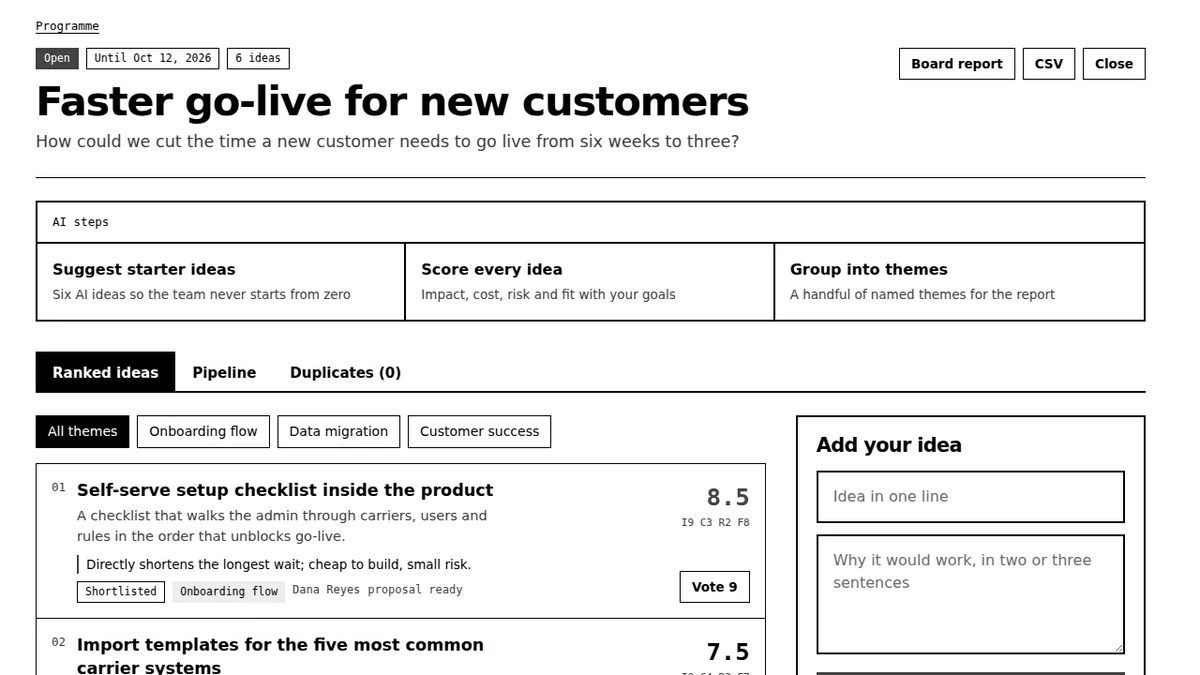
Brainstormer is built around the review half. You set 3 to 6 strategic goals and open a challenge with a deadline. When an employee submits a short idea, AI expands it into a problem, a solution, a first step and a success measure, then scores it on impact, cost, risk and strategic fit with a written rationale. Duplicates are merged with authors and votes kept, ideas are grouped into themes, and each idea moves through seven logged decision stages. On Business and Enterprise, goals carry weights and each challenge ends in a printable board report.
Pricing is per company, not per user. Team is $149 a month billed yearly for up to 25 members. Business is $399 a month billed yearly for up to 150 members. Enterprise is $999 a month billed yearly for up to 1,000 members. Month to month costs twice as much. The full comparison is on the pricing page, and the idea management platform page walks through the workspace.
How to run Brainstormer next to your SharePoint intranet
Because it runs in the browser, the practical setup is simple. Add the workspace link to your intranet's navigation, announce each challenge with a SharePoint news post, and invite members by email. Keep a Forms survey for anonymous feedback if you need it. When a winning idea changes how people work, the next step is usually teaching it, and a corporate training platform is where that rollout and its sign-off records belong.
If you are leaving a Teams-based ideas app rather than SharePoint, read the Sideways 6 alternative comparison.
Questions buyers ask about SharePoint idea management
Can SharePoint be used for idea management?
Yes, for collecting ideas. A Microsoft Forms survey feeding a SharePoint list, with likes or star ratings on a team site, gives you submission and voting at no extra cost. SharePoint does not merge duplicates, score ideas against goals, keep a decision trail or produce a leadership report, so review stays manual.
Can a SharePoint suggestion box be anonymous?
Yes, if submissions come through Microsoft Forms. With the form limited to people in your organization, the owner can turn off "Record name", so responses are stored without names. Items created directly in a SharePoint list always record who created them.
Is there idea management software for SharePoint?
Yes. Add-ins such as Saketa Idea Board, Mazzum and Acuvate Wave install into SharePoint Online and add idea boards, voting and categories. Dedicated tools such as Brainstormer run separately in the browser and link from the intranet, trading native placement for AI review and decision reporting.
Does Brainstormer integrate with SharePoint?
No. Brainstormer has no SharePoint integration, single sign on or API. Most teams add the workspace link to the intranet navigation and announce challenges in SharePoint news posts, while ideas, scoring and decisions live in Brainstormer.
How much does SharePoint idea management cost?
The Forms and list setup is included with Microsoft 365, so the cost is setup and review time. A custom Power App can reach $20 per user a month once it leaves a single Teams team. Add-ins are quoted per vendor. Brainstormer starts at $149 a month billed yearly for 25 members.